
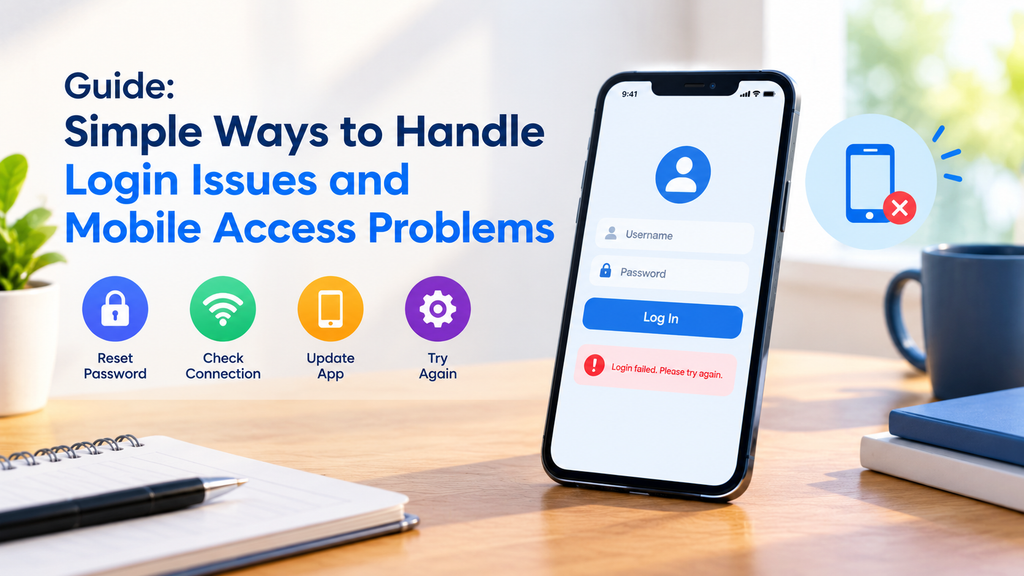
A smooth mobile experience depends on more than a good internet connection. Sometimes, a page refuses to open, a login attempt fails, or a browser displays an unexpected message. These problems can interrupt your plans, especially when you are unsure what caused them.
This Yy6 guide explains how to approach common access problems, understand login errors, and keep your mobile setup organized. Instead of making random changes, you will learn how to check the likely cause and choose a sensible next step.
Understand What Is Causing the Access Problem
When a website or app stops responding, the problem may come from your device, network, browser, account, or the service itself. Identifying the likely cause helps you avoid unnecessary changes.
Test Your Internet Connection First
Open another trusted website to see whether your connection is working. If several websites fail to load, your network may be the issue rather than Yy6.
You can try switching between Wi-Fi and mobile data when appropriate. If one connection works and the other does not, check the affected network before changing your account or device settings.
Look for Error Messages
Read the full message displayed on the screen. An error about a connection is different from a message about an incorrect password or unavailable service.
Write down the message if you need help later. Clear information makes troubleshooting easier and reduces the chance of repeating steps that have already failed.
Yy6 Login Problems: What to Check Before Trying Again
Repeated login attempts can be frustrating, but rushing through them may make the situation worse. Start by checking the information you entered and confirming that you are using the correct service.
Review Your Login Details
Check for typing errors, accidental spaces, and incorrect capitalization where relevant. If your device automatically fills in login information, make sure it has not inserted an old password or saved details for another account.
Never send your password to someone who claims they can fix the problem. Use the service’s verified account recovery process if you cannot sign in.
Handle Password Recovery Carefully
If a password reset option is available through the official service, follow its instructions. Use a secure email account or phone number that you control.
Be cautious of messages that ask you to reveal a verification code or provide your current password. A legitimate recovery process should not require you to disclose sensitive login details to an unknown person.
Improve Browser Access Without Changing Everything
A browser can develop temporary problems that affect how a page loads. Before installing additional software, try a few basic checks.
Refresh the Page Once
A temporary connection interruption may prevent a page from loading correctly. Wait briefly and refresh it once.
If the page remains unavailable, open another trusted website. This helps you determine whether the issue affects one service or your broader internet connection.
Check Browser Updates
An outdated browser may have trouble displaying certain websites. Open your device’s official app store or browser settings and check for available updates.
After updating, close and reopen the browser. Avoid installing unfamiliar browser extensions or tools advertised as instant fixes.
Clear Temporary Browser Data When Needed
If one page continues to behave strangely, clearing its cached files may help. Use your browser’s settings and select the appropriate option.
Be aware that clearing cookies or all browsing data can sign you out of websites and remove saved preferences. Start with the least disruptive option available.
Yy6 Game APK: Avoid Compatibility Confusion
Some users may consider an application when a website is difficult to access. However, installing another file is not always the right solution.
Before choosing a Yy6 game apk, confirm that an official application is available and that it supports your device. A download should not be treated as a fix for every browser or connection problem.
Check Your Device Settings
Make sure your operating system and browser are reasonably up to date. Review available storage and restart the phone if several apps are behaving unexpectedly.
If an app is officially offered, compare your device’s requirements with the publisher’s information. Do not assume that every Android phone supports every application.
Avoid Unknown Replacement Apps
A file labeled Yy6 apk may not be connected to the service you intend to use. File names and icons can be copied by unrelated sources.
Do not install an alternative app simply because a page claims it will restore access. Verify the publisher and source first, and avoid any file that requires you to disable security protections without a clear, trustworthy reason.
What to Do When a Page Is Unavailable
Sometimes, the problem is outside your control. A service may be temporarily unavailable, undergoing maintenance, or experiencing a technical interruption.
Give the Service Time to Recover
If your internet works and other websites load normally, the service itself may be experiencing a problem. Wait a while before trying again.
Repeated refreshing is unlikely to solve a wider service outage. If official status information or a verified support channel is available, use it to check for updates.
Be Careful With Alternative Access Pages
When the usual page does not work, unfamiliar websites may claim to offer immediate access. Avoid entering account details on these pages until you can confirm their legitimacy.
A page that looks similar to the original does not prove that it belongs to the same operator.
Make Better Decisions About Yy6 Download Options
A download should have a clear purpose. If you are considering a Yy6 download or Yy6 game download, first determine whether you actually need an app or whether the problem can be solved through your existing browser.
Verify Before Installing
Check the publisher, source, compatibility details, and requested permissions. Avoid pages that use repeated pop-ups, misleading buttons, or urgent messages to pressure you into downloading a file.
The phrase yy6 game new version does not establish that a release is genuine or suitable for your phone. Look for reliable release information before considering an update.
Likewise, yy6 all game download may appear in promotional material, but the wording alone does not confirm what the package contains or whether its files are legitimate.
Create a Simple Troubleshooting Routine
When access problems happen, following the same sensible process can save time.
Use this order:
- Check whether your internet connection works.
- Read the error message carefully.
- Refresh the page and reopen the browser.
- Check for browser or system updates.
- Review account details if the error relates to login.
- Wait if the service appears unavailable.
- Use verified support information if the issue continues.
Change one thing at a time. This makes it easier to understand which step helps and prevents unnecessary changes to your phone.
Final Thoughts on Yy6
Access problems do not always mean something is wrong with your account or device. A connection issue, outdated browser, incorrect login detail, or temporary service interruption may be responsible.
With Yy6, a careful troubleshooting process is more useful than repeatedly trying random fixes. Check the basic causes, protect your login information, and verify any application or download before using it. These habits can help you manage mobile access problems with less confusion and greater confidence.
Frequently Asked Questions
1. Why is Yy6 not opening on my phone?
Possible causes include an unstable connection, browser problems, device settings, or temporary service downtime. Test another website before making changes.
2. What should I do if my login attempt fails?
Check your login details and confirm that you are using the correct service. If necessary, use the official password recovery process.
3. Can a Yy6 game apk fix a website access problem?
Not necessarily. The problem may come from your network or the service itself. Verify whether an official app exists before considering an installation.
4. Should I keep refreshing an unavailable page?
No. Try refreshing once, check your connection, and wait if the service appears unavailable. Repeated attempts may not resolve the cause.
5. How can I verify a Yy6 download?
Confirm the publisher and distribution source, review compatibility information, and examine the requested permissions. Avoid unknown files and misleading download pages.
6. What if I cannot identify the cause of the problem?
Record the error message, note which troubleshooting steps you tried, and consult a verified support channel if one is available. Never share your password or verification codes while requesting help.