
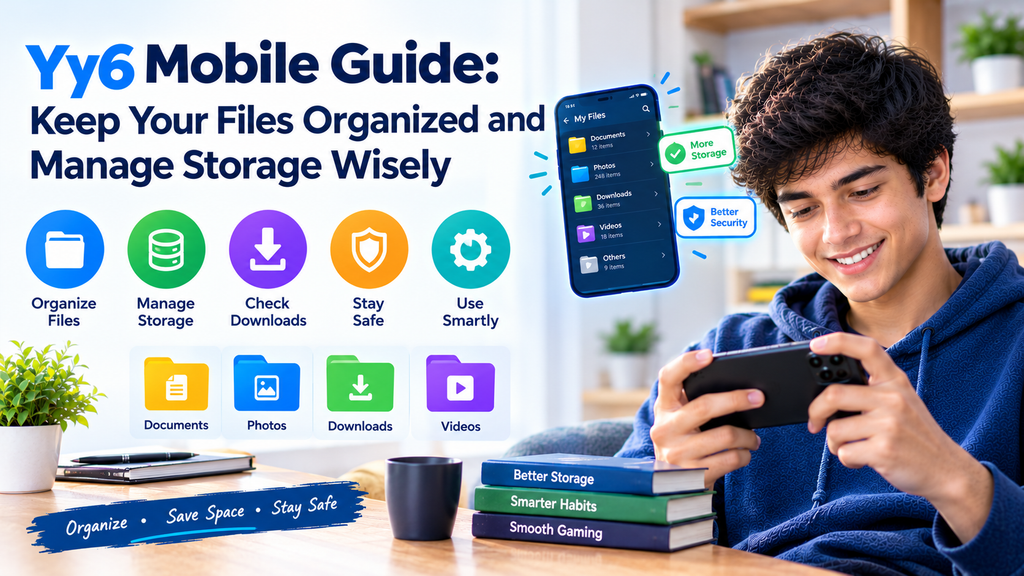
A well-organized phone is easier to use, maintain, and troubleshoot. Over time, downloads, screenshots, duplicate files, and unused applications can fill storage and make everyday tasks harder to manage. Knowing which files to keep and which ones to remove can help you avoid clutter without losing important information.
This Yy6 guide focuses on file management, storage planning, and practical ways to keep your mobile device organized. It also explains what to consider when handling a Yy6 game apk, reviewing downloaded files, and maintaining a phone that remains ready for daily use.
Build a Storage System That Makes Sense
Keeping files in random locations can make it difficult to find what you need. A simple folder system can save time and reduce accidental deletions.
Separate Important Files From Temporary Items
Create clear folders for documents, photos, work files, and personal downloads. Give each folder a name that describes its contents instead of using labels that you may forget later.
Keep important documents separate from files you download for temporary use. This makes it easier to review unnecessary items without affecting information you need to keep.
Use Clear File Names
Names such as “document-final” or “new-file” can become confusing when you have several similar items. Use short names that describe the content or purpose of each file.
For example, a saved instruction sheet could include its subject and date in the file name. A consistent naming system helps you recognize files without opening each one.
Why Download Folders Need Regular Attention
Your phone’s download folder can collect files from browsers, messaging apps, and other services. Some may be useful, while others may be outdated or no longer needed.
If you use Yy6 through a browser, reviewing downloaded items occasionally can help you keep track of files associated with your online activities.
Check Before Deleting Anything
Do not remove a file just because you do not recognize its name. Check its type, location, and purpose first.
If the file may contain important information, open it only when you trust its source. Back up anything you need before deleting it.
Remove Duplicate Files Carefully
Duplicate images, documents, and downloads can take up valuable space. Some phones provide tools that help identify duplicate items, but review the suggested files before removing them.
Two files with similar names may contain different information. Compare their contents or dates when necessary instead of assuming they are identical.
Yy6 Game APK: Know Where Installation Files Are Stored
Android devices may save installation files in the download folder or another location chosen by the user. These files can remain on the phone even after they are no longer needed.
Before keeping a Yy6 game apk, make sure you understand where it came from and why it is stored on your device.
Identify the File Before Opening It
Check the file name, file type, and source information. Do not open an unfamiliar installation file simply because it includes the name Yy6 apk.
A familiar label does not confirm that the file is genuine. If you cannot verify its source or purpose, avoid installing it.
Remove Unneeded Installation Files
After an installation, some users keep the original file even when they no longer need it. If you have verified that the file is unnecessary, removing it may free up storage.
Do not delete application data or personal documents without checking what they contain. The aim is to remove clutter, not lose information you may need later.
Make Better Use of Your Phone’s Storage Tools
Most smartphones include storage settings that show how much space is being used by apps, images, videos, and other files.
Find the Biggest Storage Users
Open your device’s storage settings and review the categories listed there. Large videos, offline media, and unused apps may take up more space than small documents.
Start with items you recognize and no longer need. Removing a few large files may free more space than deleting dozens of small ones.
Understand Cache and App Data
Temporary cache files help some apps load content more quickly. Clearing a cache may help when an app has a specific problem, but it is not necessary to clear every cache regularly.
App data is different. Removing it can erase settings, saved information, or local content. Read the confirmation message carefully before clearing anything.
Plan Before Completing a Yy6 Download
A download should have a clear purpose. Before completing a Yy6 download or Yy6 game download, check whether you need the file and whether it comes from a trustworthy source.
Check Available Space First
Large files may require more free space than their displayed size suggests because a device can need extra room during installation or processing.
Check your available storage before starting. If space is limited, remove unnecessary files or move suitable personal items to a trusted backup location.
Avoid Files You Did Not Request
Some websites display misleading buttons, open extra tabs, or start downloads unexpectedly. Do not open every file that appears in your download folder.
If an unfamiliar file arrives without your request, verify its source before interacting with it. Remove it if you determine that it is unwanted and unsafe to keep.
Understand Version Files and Repeated Downloads
Users sometimes download the same file several times because they forget where the original was saved. This can create clutter and make it harder to identify the correct version.
Keep Track of Verified Releases
If a legitimate publisher provides release information, record the version and date when that information is useful. This can help you distinguish an older file from a newer one.
A page promoting the yy6 game new version does not prove that its file is authentic. Confirm the source before replacing an existing application or saving another installer.
Be Careful With Large Collections
The phrase yy6 all game download may appear on pages offering several files together. Do not assume that every file in a collection has the same source or purpose.
Review each item individually and avoid downloading a package when its contents are not clearly explained.
Back Up Files Before Making Major Changes
Storage cleanup becomes much easier when important information has a reliable backup. A backup can protect you if a device is lost, damaged, or reset.
Choose a Suitable Backup Method
Depending on your needs, you may use a trusted cloud service, an external storage device, or your computer. Choose a method that protects your privacy and gives you access when necessary.
Check that important files have actually been copied before deleting the originals. A file appearing in a backup folder does not always mean the transfer completed successfully.
Keep Sensitive Information Protected
Avoid storing passwords, verification codes, or private documents in folders that other people can easily access. Use the security features offered by your device or trusted storage service.
If you share your phone with family members, keep personal files organized and use available screen locks or separate user profiles where supported.
Create a Simple Monthly Maintenance Routine
You do not need to clean your phone every day. A short review once a month may be enough for many users.
During the review:
- Remove files you no longer need.
- Check for duplicate photos and downloads.
- Review unused applications.
- Confirm that important backups are complete.
- Check available storage space.
- Update your device through official settings.
These small tasks can keep your phone easier to manage without making maintenance a time-consuming job.
Final Thoughts on Yy6
A tidy phone helps you find important information, manage storage, and avoid confusion when handling downloads. By organizing folders, reviewing installation files, and backing up valuable documents, you can maintain a more practical mobile setup.
When using Yy6, do not download files simply because they are available. Verify the source, understand the file’s purpose, and make sure you have enough storage before proceeding. Good file management is a simple habit that can benefit your entire mobile experience.
Frequently Asked Questions
1. How can I free up storage on my phone?
Review large files, duplicate photos, unused applications, and unnecessary downloads. Back up important items before deleting them.
2. Should I keep a Yy6 game apk after installation?
Keep an installation file only if you have a clear reason to retain it and have verified its source. Otherwise, you may remove it once you know it is no longer needed.
3. Is clearing app data the same as clearing cache?
No. Cache usually contains temporary files, while app data may include settings and saved information. Check the details before clearing either one.
4. How can I check a Yy6 download before opening it?
Verify where it came from, identify its file type, and confirm that you requested it. Avoid opening unknown installation files.
5. Does the yy6 game new version label prove a file is genuine?
No. Confirm the publisher and release details through reliable information rather than trusting the label alone.
6. What does yy6 all game download mean?
It may refer to a collection of files or games promoted on a page. Check the contents and source of each item before downloading anything.