
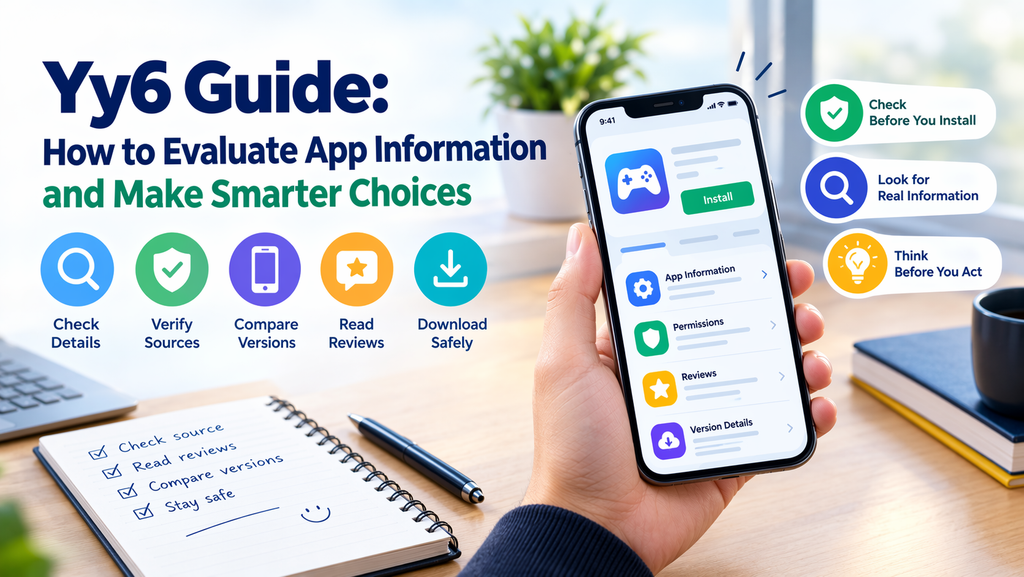
Good decisions begin with clear information. When using a mobile platform, it helps to know which details matter, which claims need checking, and when it is better to pause before taking action. A few simple habits can prevent confusion and make the overall experience easier to manage.
The Yy6 game is a term people may come across in mobile gaming content. Information about a platform can vary between websites, app listings, and different versions. Instead of accepting every claim at face value, users should develop a habit of checking details and comparing reliable information.
This guide explains how to judge app information, understand technical details, compare available options, and avoid decisions based on unclear promises.
Learn to Separate Facts From Advertising
App descriptions often use attractive words to catch attention. Terms such as “fast,” “new,” and “easy” may sound useful, but they do not explain exactly what an app offers.
Ask What a Claim Actually Means
When a page makes a statement about Yy6, look for specific details that support it. A clear explanation is more useful than a bold headline without evidence.
For example, a statement about device compatibility should ideally explain which operating systems or requirements apply. A claim about an update should include version information or release details.
Before trusting a statement, ask yourself:
- Does the page provide a clear explanation?
- Can the information be checked somewhere reliable?
- Is the claim specific, or does it only sound impressive?
- Does the information match the action being requested?
These questions help you judge information based on its value rather than its presentation.
Notice When Important Details Are Missing
A page may look professional but still leave out basic information. Missing developer details, unclear terms, and vague descriptions can make it difficult to decide whether a service is trustworthy.
Do not fill these gaps with assumptions. If a claim cannot be confirmed, treat it as unverified until better information becomes available.
Understand the Details Behind App Compatibility
Not every application works the same way on every phone. Compatibility can depend on the operating system, device hardware, available storage, and software requirements.
Check Your Phone Before Making Changes
Before installing an application, review your phone’s operating system and available storage. Compare these details with the requirements provided by a reliable source.
A file that works on one device may not work on another. Even two phones from the same brand can use different software versions or hardware.
If a page offers a Yy6 game apk, do not assume that the package will work simply because it is intended for Android. Confirm the requirements before attempting installation.
Understand App Store and APK Differences
An APK is an Android application package used to install software. Apps may be distributed through app stores or, in some cases, through separate installation packages.
These methods do not offer identical levels of information or protection. App stores may provide developer details, compatibility information, reviews, and update tools. With a separate APK, users may need to verify more details themselves.
A Yy6 apk download should only be considered after confirming the source and understanding what the file is intended to do.
Compare Versions Without Guessing
A version number can help identify a particular release, but the number alone does not tell you whether an update is useful or trustworthy.
Read Release Notes Carefully
Release notes describe changes made to an application. Depending on the developer, they may mention bug fixes, new features, performance changes, or compatibility updates.
When information about a yy6 game new version is available, compare its stated details with information from a reliable source. Look for a clear explanation of what changed rather than relying only on promotional wording.
If there are no meaningful release details, you may not have enough information to judge the update.
Avoid Version Number Confusion
Different websites may label files differently. One page may use a release date, while another may use a version number or a marketing phrase.
Do not assume that the file with the largest number is genuine. Check who published it and whether the details can be confirmed.
If the source remains unclear, avoid installing the package.
Use Reviews as One Part of Your Decision
Reviews can help you understand other users’ experiences, but they should not be treated as complete proof that an app is reliable.
Look for Useful Details in Reviews
A helpful review explains what happened. It might mention a compatibility problem, a confusing menu, or a feature that did not work as expected.
Very short comments that repeat the same phrases may offer little practical information. A large number of positive ratings also cannot guarantee that an app is genuine.
When reviewing feedback about Yy6, look for specific, consistent details rather than relying on one dramatic comment.
Consider the Date of the Feedback
Older reviews may describe a version that is no longer available. A problem reported several years ago might have been fixed, while a recent update could introduce a new issue.
Check the date and context of a review before using it to make a decision. If several recent reviews describe the same problem, that pattern may deserve attention.
Plan Downloads With a Clear Purpose
Downloading files without a specific need can create clutter and make it harder to identify the correct application later.
Choose Individual Files Carefully
If you see a Yy6 download offer, first understand what the file contains and why you need it. Confirm the source, read the description, and avoid clicking through several unrelated download pages.
The same rule applies to pages advertising a Yy6 game download or yy6 all game download collection. A long list of files does not prove that every item is relevant or genuine.
Keep a Record of Important Details
For applications you choose to install, it can help to remember the source, version, and installation date. This makes it easier to understand what is on your device if a problem appears later.
You do not need a complicated tracking system. A simple note is enough for most users.
Avoid keeping unknown files just because you might need them someday. If you cannot identify a file, verify it before opening or removing it.
Make Decisions Without Feeling Rushed
Some pages use countdowns, urgent messages, or limited-time claims to encourage immediate action. These messages can make people feel that they must decide quickly.
Pause Before Following Urgent Instructions
A genuine technical decision should allow you time to understand the details. Be cautious when a page pressures you to install a file, share private information, or change device settings immediately.
Take a moment to check the source and consider the possible result. If the request seems suspicious, leave the page and verify the information through a trusted channel.
Know When to Walk Away
You do not have to continue with a download or sign-up process if something feels unclear. Leaving a page is often the simplest choice when important information is missing.
Protecting your time and personal information matters more than completing every process you start.
Final Thoughts
Making smarter decisions about Yy6 starts with evaluating information carefully. Look for clear explanations, verify compatibility, compare release details, and read reviews with a critical eye.
Do not let impressive headlines or urgent messages replace careful judgment. Before installing an application or changing your phone’s settings, make sure you understand what you are doing and why. These habits can help you make more informed choices across many mobile platforms.
Frequently Asked Questions
1. How can I tell if information about Yy6 is reliable?
Check whether the information comes from a trustworthy source and includes specific, verifiable details. Be cautious when a page makes large claims without explaining how they can be confirmed.
2. Does a higher app version number mean it is better?
No. A higher number does not automatically prove that a file is genuine, more useful, or compatible with your device. Review the release details and confirm the source.
3. What should I check before installing a Yy6 game APK?
Confirm the source, app identity, device requirements, and requested permissions. Do not install the file if you cannot establish where it came from or what it is designed to do.
4. Can I trust every review about Yy6?
No. Reviews can provide useful experiences, but some may be outdated, incomplete, or misleading. Compare several specific, recent reviews and look for consistent patterns.
5. What should I do if a download page pressures me to act quickly?
Pause and verify the claims before continuing. Avoid sharing private information or installing unknown files because of a countdown or urgent message. If the source cannot be confirmed, leave the page.