
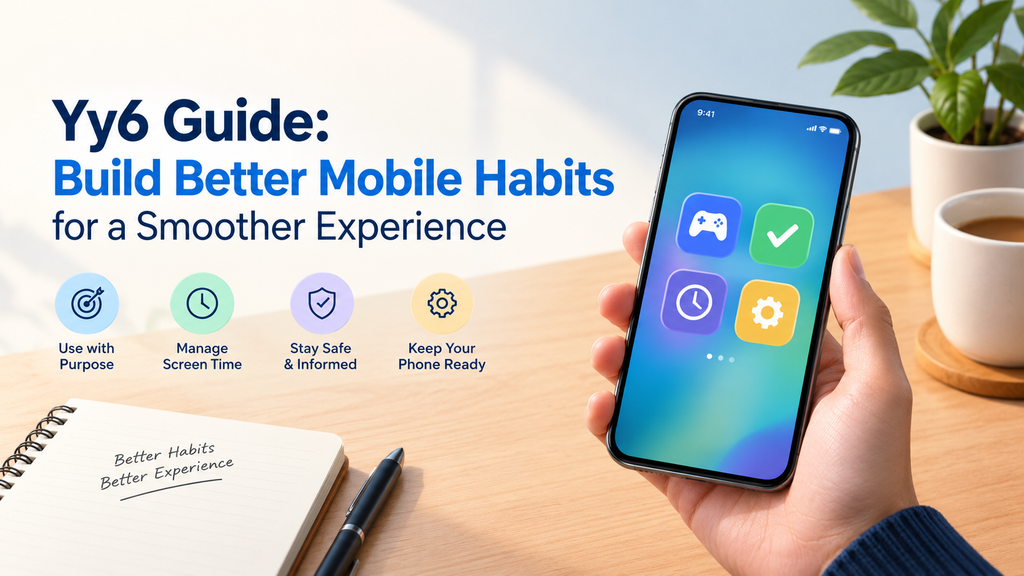
Using a mobile app should feel simple, not confusing or stressful. A few good habits can make a big difference in how you manage your time, handle information, and keep your phone working well. The key is to understand your needs before deciding how to use an app.
The Yy6 game is a term associated with mobile gaming content. Since available features can differ between platforms, it is important to check the information provided by the actual service instead of relying on assumptions. This guide focuses on practical habits that can help users manage their mobile experience, stay organized, and make thoughtful decisions.
Start With a Clear Purpose
Before opening an app, think about what you need to do. A clear purpose can help you avoid unnecessary taps, distractions, and time spent on unrelated activities.
Decide What You Need From the App
Some people open an app to check information, review settings, or complete a specific task. Others may simply want to understand how the platform works.
Whatever your reason, keep your goal simple. If you only need to check one detail, focus on that task rather than changing several settings at once.
This habit is useful when using Yy6, especially if you are still getting familiar with its available options.
Avoid Random Tapping
Tapping every button to see what happens can lead to unexpected changes. You might open an unfamiliar page, submit information, or change a setting without understanding its purpose.
Instead, read the label first. If a button is unclear, pause and look for an explanation. Taking a few extra seconds is often easier than fixing a mistake later.
Create a Mobile Routine That Works for You
A simple routine can make app use easier to manage. It does not need to follow a strict schedule. The goal is to give mobile activities a clear place in your day.
Set a Reasonable Time Limit
Long periods on a screen can interrupt work, study, sleep, and time with family. Decide how much time you want to spend on mobile activities before you begin.
You can use your phone’s built-in screen-time tools to review usage. Some devices also allow app limits or reminders.
A useful routine might include:
- Finishing important work before opening entertainment apps.
- Taking short breaks during long screen sessions.
- Avoiding unnecessary phone use near bedtime.
- Keeping meals and personal conversations free from constant notifications.
These habits can help you stay in control of your time without making your day feel restricted.
Notice When Your Routine Stops Helping
A routine should support your day, not create extra pressure. If an app regularly interrupts important tasks, adjust when or how you use it.
You can move distracting apps away from your home screen, silence nonessential alerts, or set a reminder to take a break.
Small changes are easier to maintain than a complicated plan.
Yy6 Game APK: Make Thoughtful Installation Choices
Some websites may offer an Android package described as a Yy6 game apk. Before installing any package, take time to confirm what it is and where it came from.
An APK is a file format used to install Android applications. It is not proof that an app is genuine, safe, or supported by the service named on a download page.
Check the Source First
Look for reliable information about the developer and the intended application. Be careful with pages that use copied descriptions, unclear contact details, or claims that sound too good to be true.
A file name alone cannot prove its identity. Even an APK with the expected name may have been changed or shared by an unrelated person.
If you cannot confirm the source, do not install the file.
Understand the Permissions
Apps may request access to features such as storage, a camera, a microphone, or location services. These permissions should make sense for the task the app performs.
For example, a simple feature should not need access to unrelated personal information without a clear reason.
If you are considering a Yy6 apk download, review the available permissions and stop if the requests seem unnecessary or difficult to explain.
Keep Your Phone Ready for Everyday Use
A phone that is low on storage or running too many demanding tasks may feel slow. You can often improve its performance by managing resources carefully.
Review Storage From Time to Time
Open your phone’s storage settings to see what takes up the most space. Photos, videos, offline files, and unused apps can fill storage quickly.
Before deleting anything, confirm that you no longer need it. Back up important pictures and documents when appropriate.
If you keep a Yy6 download file after installation, check whether you still need the original package. Do not remove files if you are unsure what they contain.
Keep Software Updated
Phone updates can include bug fixes, security improvements, and compatibility changes. Check for updates through your device’s normal settings.
For apps, use a trusted distribution source whenever possible. Avoid installing a file simply because a page calls it the newest release.
If a yy6 game new version is advertised, verify the version information before making changes. Newer does not always mean more suitable for your device.
Manage Notifications Without Missing Important Details
Notifications are useful when they provide information you actually need. However, frequent alerts can make it harder to focus on other activities.
Choose Which Alerts Deserve Your Attention
Review notification settings inside the app, if available, and through your phone’s system controls. Keep important alerts enabled while reducing unnecessary interruptions.
You do not have to respond to every notification immediately. Choose a time to check your phone when it fits your schedule.
Be Careful With Urgent Messages
Messages that demand immediate action can create pressure. Take a moment to check the sender and understand what the message asks you to do.
Do not share passwords, verification codes, or private account information through unexpected messages. If a message claims there is a problem with your account, confirm it through a trusted channel.
Make Better Decisions Before Downloading More Content
A page may promote several files under labels such as Yy6 game download or yy6 all game download. That does not mean every listed item is necessary or trustworthy.
Separate Useful Information From Promotion
Read the file description, check the stated requirements, and look for clear source details. Avoid clicking download buttons that appear repeatedly or lead to unrelated pages.
Do not assume that a collection of files belongs to one service simply because the same name appears on the page.
Avoid Unnecessary Downloads
Downloading more files than you need can waste storage and make it harder to keep track of what is installed. Choose carefully and review each file before opening it.
A simple rule helps: if you cannot explain what a file is for or where it came from, leave it alone until you can verify the details.
Final Thoughts
A better Yy6 experience starts with everyday habits rather than complicated changes. Set a clear purpose, manage screen time, keep your phone organized, and understand what an app asks you to do.
Be patient when learning new features, and never let a download label replace a proper check of the source. These practical steps can help you use mobile apps with greater confidence while keeping your time and device under control.
Frequently Asked Questions
1. How can I manage my time while using Yy6?
Set a reasonable time limit, take regular breaks, and use your phone’s screen-time tools when available. Keep mobile activities from interrupting work, study, sleep, or family time.
2. Is every Yy6 game APK safe to install?
No. An APK’s name does not confirm that it is genuine or safe. Check the source, developer information, version details, and requested permissions before installing anything.
3. Why is my phone running slowly?
Low storage, demanding apps, outdated software, or too many active tasks may affect performance. Review storage, close apps you are not using, and check for system updates.
4. How should I handle a Yy6 download offer?
Read the page carefully and confirm the source before downloading. Avoid unclear links, unexpected files, and claims that cannot be supported by reliable information.
5. Should I install a new version as soon as it appears?
Not necessarily. First, check the release details and confirm that the version comes from a trustworthy source. Make sure it is suitable for your device before replacing an existing installation.