
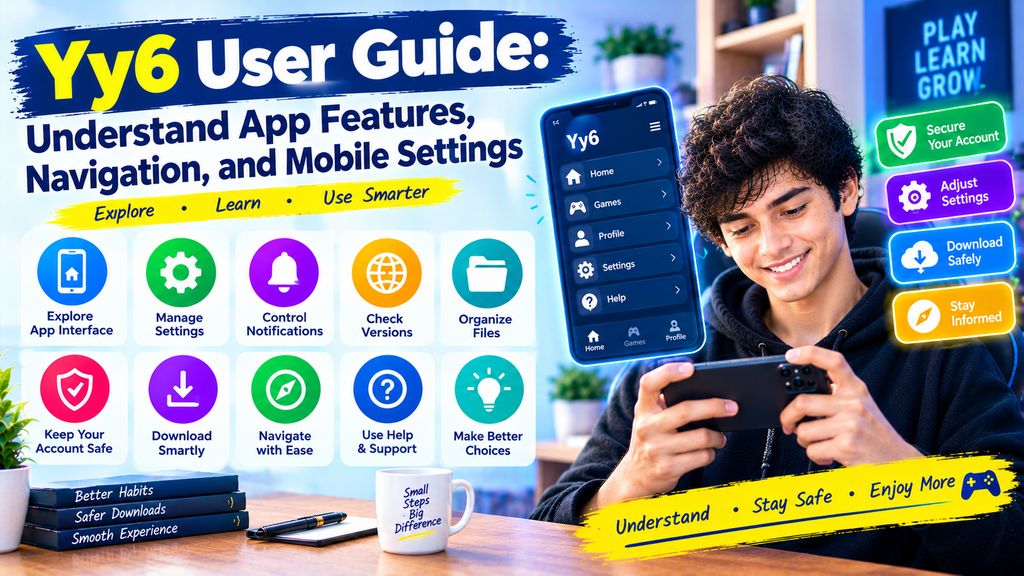
A smooth mobile experience starts with knowing how an app works and how its settings affect daily use. Before using any new platform, take time to understand its menus, labels, instructions, and available controls. These small steps can help you avoid confusion and make better choices.
The Yy6 game is a term users may encounter while looking for information about mobile gaming. However, the exact features can vary by platform and version. This guide explains how to understand app layouts, review important options, and manage your mobile experience without making assumptions about features that may not be available.
Why Understanding the Yy6 Interface Matters
An app interface includes everything you see and use on the screen. This can include menus, buttons, account sections, help pages, and settings. Knowing what each part does can make everyday use easier.
Start With the Main Screen
When opening a new platform, pause before tapping different buttons. Look at the labels and identify the main sections first.
Pay attention to options such as:
- Home or main menu
- Account information
- Help and support
- Settings and preferences
- Rules, terms, or instructions
These labels are common across many apps, but their presence and names depend on the actual platform. Do not assume that every section will be available in Yy6.
Read Button Labels Carefully
A button may open another page, change a setting, or begin an action. Reading its label before tapping can help prevent mistakes.
Be especially careful with buttons that confirm changes, submit information, or close an account. If a label is unclear, look for an explanation before continuing.
How to Review App Settings Without Confusion
Settings allow users to control parts of their mobile experience. Depending on the app, they may include language, notifications, display preferences, or account controls.
Check Language and Display Options
Some people find it easier to use an app when the text is clear and the language is familiar. If language or display options are available, review them before using the platform regularly.
You can also adjust your phone’s system settings to improve readability. Increasing text size or screen brightness may help, especially when small labels are difficult to read.
Understand Notifications
Notifications can provide useful updates, but too many alerts may interrupt other activities. Review which notifications you actually need.
Your phone may allow you to control alerts through its notification settings. These controls are separate from any notification options offered inside an app.
Before turning off an alert, consider whether it contains information you need. Keep useful updates enabled and reduce unnecessary interruptions.
Yy6 Game APK: Understand the File Before Installing
An APK is an Android application package. Android devices can use APK files to install apps, but downloading a file does not automatically mean it is genuine or suitable for your device.
If you come across a Yy6 game apk, first confirm that the file comes from a trustworthy source connected to the actual service. Avoid files shared through random messages, unknown file-hosting pages, or suspicious advertisements.
Check the File Details
Before installing an APK, review the information available about the file. Look for the app name, developer details, version information, and requested permissions.
A familiar file name is not proof that a package is genuine. Files can be renamed, and misleading pages can copy names used by other services.
If you cannot confirm the source, do not install the file.
Know What Installation Permissions Mean
Android may ask you to allow installations from a particular source. This permission can let that source install applications outside the usual app store process.
Only enable it when you have a clear reason and trust the source. Afterward, review your settings and turn off the permission if you no longer need it.
A Yy6 apk download should never be treated as automatically safe simply because a page promises quick installation.
How to Compare App Versions Properly
Version labels can help users understand whether a file or app has changed. However, words such as “latest,” “new,” or “updated” do not prove that a download is genuine.
Look Beyond the Version Name
If a yy6 game new version is advertised, check the available release information before deciding to install it. Compare the listed version with information from a reliable source associated with the service.
Useful details may include:
- The version number
- The release date
- The changes described
- Device requirements
- Any known compatibility limits
If these details are missing, be cautious. A newer-looking label is not enough to justify installing an unknown file.
Avoid Installing Multiple Copies
Installing several copies of an app can create confusion. You might forget which version you opened or where a particular file came from.
Before replacing an existing installation, understand how the update works. If the app stores important information locally, check whether that information could be affected. Never delete app data unless you understand the result.
Yy6 Download: Organize Your Mobile Files
A tidy phone makes it easier to find documents, photos, and application files. It also reduces the chance of opening an old file by mistake.
If you use Yy6 download instructions or save an installation package, keep track of where the file came from and whether you still need it.
Create a Simple File Routine
Use your phone’s file manager to review saved items from time to time.
A practical routine includes:
- Check the Downloads folder.
- Identify files you recognize.
- Keep important documents in a suitable folder.
- Remove unnecessary files only after checking them.
- Avoid opening unfamiliar files just to see what they contain.
If you are considering yy6 all game download options, review each file individually rather than downloading a large collection without checking its contents.
Make Navigation Easier With Better Habits
You do not need to understand every feature at once. Learning a few basic controls first can make a new app feel less confusing.
Use Help Information When Available
Read the instructions provided by the platform before using an unfamiliar option. If something remains unclear, look for a support section or reliable documentation.
Avoid taking advice from strangers who ask for your password, verification code, or remote access to your phone. Genuine troubleshooting should not require you to share private login details.
Give Yourself Time to Learn
Try one feature at a time instead of changing several settings together. If an unexpected result occurs, you will have a better idea of which change caused it.
This simple method can also help you explain the problem clearly if you need support.
Final Thoughts
Using Yy6 more confidently begins with understanding what appears on your screen and making careful choices. Read labels, review available settings, check version details, and keep mobile files organized.
Remember that an app name or download label does not prove that a file is genuine. Confirm the source before installing anything, and avoid granting permissions you do not understand. A little patience can help you manage your mobile experience with fewer mistakes.
Frequently Asked Questions
1. What should I check before using Yy6?
Review the available instructions, menu labels, account options, and privacy information. Confirm that you are using the intended service and avoid assuming that every advertised feature is genuine.
2. What is a Yy6 game APK?
An APK is an Android installation package. A file described as a Yy6 game apk should be checked carefully to confirm its source, version, and suitability before installation.
3. How can I identify a newer app version?
Check the version number, release details, and information from a reliable source. A page calling a file the newest version does not prove that the claim is correct.
4. Should I download every file listed under Yy6 game download?
No. Review each file separately and download only what you actually need from a trustworthy source. Avoid unknown bundles and files with unclear descriptions.
5. What should I do if an app setting is confusing?
Read the available explanation before changing it. If you still do not understand the option, leave it unchanged and consult reliable support information when available.