
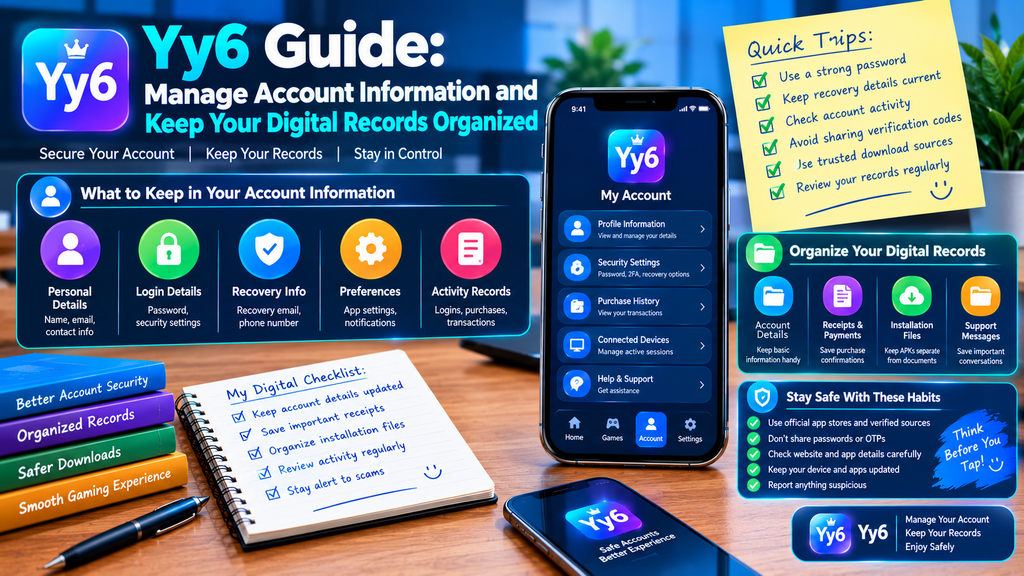
Keeping digital information organized can make mobile activities easier to manage. Account details, saved preferences, device information, and important records may become difficult to track when they are spread across different apps and folders.
For people interested in Yy6, understanding basic account management is a useful part of responsible mobile use. It helps users keep important details in order, recognize unusual account activity, and avoid sharing information unnecessarily.
This guide explains how to manage digital records, understand account information, organize important details, and make better decisions when using mobile platforms.
Understand What Your Account Information Includes
An online account may contain several types of information. Some details help identify the account, while others control access or store personal preferences.
Separate Public Details From Private Information
Not every piece of account information has the same level of sensitivity.
Public details may include a display name or profile description. Private information may include passwords, verification codes, recovery details, and personal contact information.
Keep these categories separate. Never assume that information is safe to share simply because another person asks for it.
When using a platform associated with the Yy6 game, review what information is requested before submitting any form.
Provide Only Necessary Details
Some online services request information during registration or account updates. Read the form carefully and understand why each detail is required.
Avoid entering extra personal information into fields that are optional. If a request seems unrelated to the service, check the platform’s privacy information before continuing.
A clear understanding of what you share can help reduce unnecessary exposure of personal details.
Create a Simple System for Managing Account Records
A small record-keeping system can help you remember important account information without storing everything in one place.
Keep Track of Account-Related Details
You may want to record basic information such as the service name, registration date, and the email address associated with an account.
Do not store passwords or verification codes in an ordinary notes file. Use a reputable password manager if you need a secure way to manage login credentials.
A simple record can include:
- The name of the service.
- The date the account was created.
- The registered email address.
- The location of official support information.
- Any important account settings you changed.
Keep these records private and review them when necessary.
Avoid Creating Duplicate Accounts
Creating several accounts can make digital records harder to manage. You may forget which email address was used or which account contains the information you need.
Before registering again, check whether you already have an account. If you cannot access it, look for a legitimate account recovery process instead of creating another profile immediately.
Yy6 Account Access: Understand Recovery Options
Account recovery is an important part of digital account management. It provides a way to regain access when login details are forgotten or access becomes unavailable.
Keep Recovery Information Current
Some services allow users to connect a recovery email address or phone number. These details should remain accurate so that important recovery messages can reach you.
If your email address or phone number changes, review the account settings and update the information through a verified process.
Do not wait until you lose access to check whether your recovery details still work.
Recognize Unusual Recovery Requests
Be cautious if someone contacts you and asks for a verification code or password to help recover an account.
A verification code is often intended only for the account owner. Sharing it with another person may allow them to access your account.
If you receive an unexpected recovery message, do not follow its instructions automatically. Open the service through a trusted channel and check the account status.
Understand Digital Records and Their Purpose
Digital records help users remember important actions and keep track of changes. Depending on the service, these records may include account updates, transaction information, or support conversations.
Keep Relevant Records Together
Use clear folders to organize documents related to your online activities. You might separate account information, receipts, device documents, and support records.
Give files meaningful names so you can identify them later. For example, a document name should describe its contents instead of using a random collection of letters.
Avoid placing private account information in folders that other people can access.
Check Records Before Taking Action
If a platform provides account history or activity records, review them before making important changes.
Look for details such as dates, action descriptions, and confirmation messages. If something appears unfamiliar, verify it through the service’s legitimate support channel.
Do not assume that every screenshot or message claiming to show account activity is genuine.
Yy6 Game APK: Keep Installation Information Separate
Mobile installation files and account records serve different purposes. Keeping them separate can prevent confusion when managing your phone.
Record the Source of an Installation File
If you come across a Yy6 game apk, make a note of where the file was obtained and which version it claims to contain.
A file name does not prove that a package is genuine. Verify the publisher, source, and available technical details before considering installation.
The same care applies to a Yy6 apk download. If the source cannot be confirmed, do not install the package.
Do Not Mix Unknown Files With Important Documents
Keep installation packages in a separate folder from personal documents. This makes it easier to review files and identify items that are no longer needed.
If a page advertises a Yy6 download or Yy6 game download, understand what the file contains before saving it.
Avoid keeping several unknown packages simply because they use similar names.
Review Your Account Information Regularly
Account details can become outdated. An old email address, unused recovery number, or unfamiliar connected device may create problems later.
Make a Monthly Account Review
A short review can help you notice changes that need attention.
Check these areas when the service provides them:
- Registered contact information.
- Password and recovery options.
- Active sessions or connected devices.
- Privacy preferences.
- Recent account activity.
Only change settings when you understand their purpose. If a service does not provide a particular option, do not assume it exists.
Remove Access You No Longer Need
Some platforms allow users to review connected devices or third-party permissions. If you find access that you do not recognize, investigate it before making changes.
Remove unfamiliar access only through the service’s genuine settings. If you suspect that an account has been compromised, follow its official security and recovery instructions.
Final Thoughts
Organized digital records make account management easier and help reduce avoidable confusion. Keep private information protected, maintain accurate recovery details, and review account activity when suitable options are available.
For Yy6, rely on confirmed platform information rather than assumptions about account features. Check every request for personal details, keep installation records separate, and avoid sharing passwords or verification codes. Good digital habits can protect your information across many online services.
Frequently Asked Questions
1. What account information should I keep organized?
You can record the service name, registration date, registered email address, and important support details. Keep passwords and verification codes in a secure password manager instead of ordinary notes.
2. How can I protect my Yy6 account information?
Use a strong, unique password if the service supports account access. Keep recovery details current and never share verification codes with other people.
3. Should I create another account if I forget my login details?
Not immediately. First, check whether the service provides a legitimate account recovery process. Creating duplicate accounts may make your records harder to manage.
4. How should I manage a Yy6 game APK file?
Check its source, publisher information, version details, and device requirements. Keep installation files separate from personal documents and avoid unknown packages.
5. Why should I review account activity?
A review may help you notice unfamiliar access, outdated contact details, or changes you did not make. Use the service’s verified settings and support channels to investigate concerns.
6. How often should I organize digital records?
A monthly review is a practical starting point. You can also update your records whenever you change important account details or receive a relevant confirmation.