
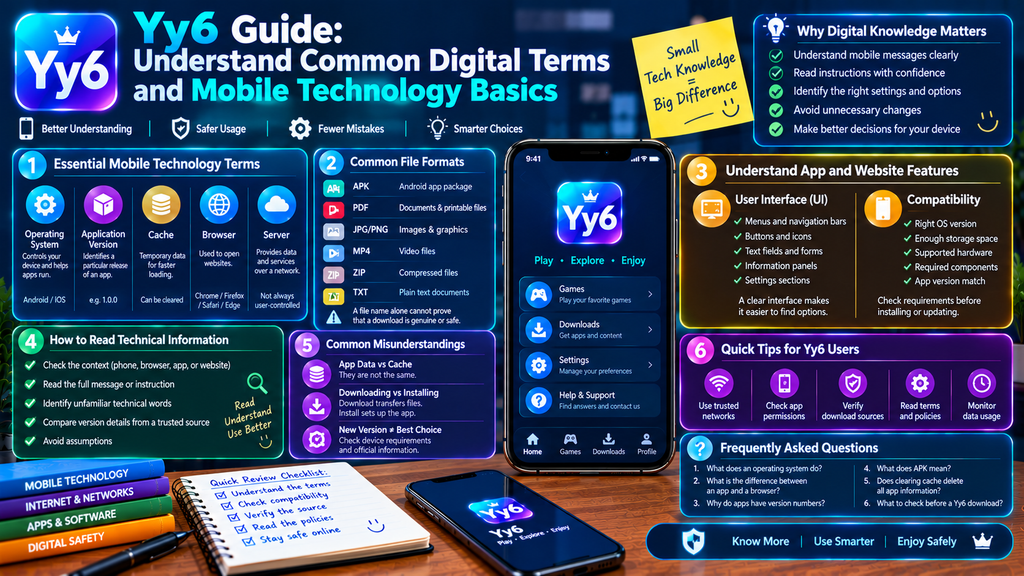
Mobile technology comes with many words that can seem confusing at first. Terms such as operating system, cache, browser, server, and app version often appear on phones and websites. Knowing what these words mean makes it easier to understand how mobile services work.
The Yy6 experience may involve different parts of a mobile device, depending on the service and access method. A basic understanding of digital terms can help users read instructions, understand technical messages, and make better decisions.
This guide explains common technology words in simple language and shows why they matter during everyday mobile use.
Why Digital Knowledge Matters for Yy6 Users
A phone displays many technical messages while running applications or opening online services. Without basic knowledge, even a simple message can seem difficult to understand.
For example, a notice about an outdated version may refer to the application itself, not the phone. Similarly, a browser error may have nothing to do with an installed app.
Understanding basic terms helps users:
- Read mobile instructions with greater confidence.
- Understand common technical messages.
- Communicate problems more clearly.
- Recognize the difference between apps and websites.
- Avoid changing settings without knowing their purpose.
Digital knowledge does not require advanced technical skills. Learning a few common words is a practical starting point.
Essential Mobile Technology Terms Explained
1. Operating System
An operating system is the main software that controls a phone or computer. It helps applications use the device’s hardware and other resources.
Android and iOS are common mobile operating systems. An app must support the operating system on a device to work correctly.
2. Application Version
An application version identifies a particular release of an app. Developers may use version numbers to show which release is installed.
For example, a newer version may contain changes or corrections. However, a higher version number does not automatically mean that every feature will work on every device.
3. Cache
Cache is temporary information stored by an application or browser. It can help pages and content load faster during later visits.
Over time, cached information may become outdated. Clearing it can sometimes help with loading problems, although it may also remove temporary website data.
4. Browser
A browser is software used to open websites. Chrome, Firefox, Safari, and Edge are examples.
If a user accesses a service through a website rather than an installed application, the browser plays an important role. Browser settings can also affect how pages appear and function.
5. Server
A server is a computer system that provides information or services to other devices over a network.
When a website takes too long to open, the issue may come from the server, the internet connection, or the device. A server problem is not always something a user can fix.
Understanding Important App and Website Features
Technical terms are not limited to device settings. Websites and applications also use words that describe how their services operate.
What Is a User Interface?
A user interface, often called a UI, is the part of an application or website that people interact with.
It includes visible elements such as:
- Menus and navigation bars.
- Buttons and icons.
- Text fields and forms.
- Information panels.
- Settings sections.
A clear interface makes it easier to understand where different options are located. Users should read labels carefully before selecting an option.
What Does Compatibility Mean?
Compatibility describes whether software can work with a particular device, operating system, or browser.
A Yy6 game apk, if available from a verified source, may have specific device requirements. These requirements should be checked before installation.
Compatibility can depend on several factors:
- Android or iOS version.
- Available device storage.
- Screen and hardware support.
- Required system components.
- Application version.
A file being available for download does not guarantee that it will work on every phone.
What Is Encryption?
Encryption changes information into a protected format so that unauthorized people cannot easily read it.
Websites may use encryption to protect information sent between a browser and a server. A secure connection is useful, but it does not prove that a website or service is trustworthy by itself.
Users should still check the source and understand what information a service requests.
Common File Formats and Their Uses
Different file types serve different purposes. Knowing their extensions can help users understand what they are opening.
| File format | Common purpose |
| APK | Android application installation package |
| Documents and printable files | |
| JPG or PNG | Images and graphics |
| MP4 | Video files |
| ZIP | Compressed file collections |
| TXT | Plain text documents |
An Yy6 apk download may refer to an Android installation package if such a file is offered. Before opening an APK, users should confirm its source and compatibility.
A file name alone cannot prove that a download is genuine or safe.
How to Read Technical Information More Carefully
Digital information often includes unfamiliar words, version numbers, and system requirements. Reading each detail separately can prevent confusion.
Use these simple habits:
- Check the context: Understand whether a message refers to the phone, browser, application, or website.
- Read complete instructions: Do not act on one sentence without understanding the full message.
- Identify technical words: Look up unfamiliar terms using reliable technology documentation.
- Compare version details: Check the installed version against information from a verified source.
- Avoid assumptions: A loading problem does not always mean the application is damaged.
These habits can also help users understand information related to the Yy6 game without making decisions based on incomplete instructions.
Common Misunderstandings About Digital Technology
Some technology terms sound similar but describe different things. Confusing them can lead to unnecessary changes.
App Data and Cache Are Not the Same
Cache usually contains temporary information. App data may include settings, saved preferences, and other stored information.
Clearing app data can have a greater effect than clearing cache. Users should understand the difference before using either option.
Downloading and Installing Are Different Steps
Downloading means transferring a file to a device. Installing means setting up the software so the device can run it.
A Yy6 download does not necessarily mean that an application has been installed successfully.
A New Version Is Not Always the Best Choice
A yy6 game new version, if officially provided, should be checked against the device requirements and release information.
Users should avoid installing files simply because their names include words such as latest, updated, or new.
Final Thoughts
Understanding digital terms makes mobile technology easier to use. Words such as browser, server, cache, encryption, and compatibility describe different parts of the digital experience.
For Yy6 users, this basic knowledge can make technical instructions easier to follow and help prevent confusion when using a website or application. It is also useful to understand that Yy6 game download and yy6 all game download are phrases that may describe different types of downloadable content, depending on what a verified service actually provides.
The best approach is simple: understand the information before taking action. A little technical knowledge can prevent many avoidable mistakes.
Frequently Asked Questions
1. What does an operating system do on a mobile phone?
An operating system manages the phone’s main functions and helps applications use its hardware and software resources.
2. What is the difference between an app and a browser?
An app is software installed on a device, while a browser is used to open and interact with websites.
3. Why do applications have version numbers?
Version numbers help identify different software releases. They can indicate updates, changes, and corrections made by developers.
4. What does APK mean?
APK stands for Android Package Kit. It is a file format used to distribute and install applications on Android devices.
5. Does clearing cache delete all application information?
No. Clearing cache generally removes temporary stored information. It is different from clearing app data, which may remove settings and other saved information.
6. What should users check before a Yy6 game download?
Users should verify the download source, check the file type, review device compatibility, and read any available installation instructions before opening the file.